

5 Free Invoice Management Tools for Contractors
Evaluating free invoice management tools? We compare Square, Invoice Ninja, Zoho, and other top options so you can pick the best app for your contracting business.
Compare the top free invoicing software for contractors. Uncover limits, hidden fees, and the best tools to eliminate manual data entry from your billing workflow.
What to Look for in Free Invoicing Software
The best free invoicing software eliminates manual data entry, integrates effortlessly with payment gateways like Stripe or PayPal, and manages your client records natively. When evaluating options, look past the initial zero-dollar price tag to ensure essential features aren't locked behind a premium paywall.
Key Takeaways
- Automated billing workflows that pull in project data to eliminate manual entry.
- Built-in payment gateways to process credit cards, ACH, or PayPal directly from the document.
- Access to professional, customizable templates without unexpected subscription upgrades.
Spotting Hidden Limits in Free Tiers
Finding the right fit means scrutinizing what is actually included in the base plan. Many free invoice management tools for contractors restrict core functionality to push you toward paid upgrades. To keep your administrative overhead low, check the software limits on these common bottlenecks before committing your data:
- Active client caps: Some platforms limit how many recurring customers you can save in your directory before forcing an upgrade.
- Customization paywalls: Free accounts might brand your invoices with their own logo or strictly limit your access to professional structural templates (Source 2).
- Payment processing fees: While the software is free, always verify if the platform marks up standard Stripe or PayPal transaction rates to cover their costs.
Your billing stack should reduce friction, not add to it. Look for platforms that offer seamless, flexible payment integrations so clients can easily pay via credit card, Apple Pay, or ACH transfer straight from the digital invoice link (Source 1). The fewer steps a client takes to clear their balance, the faster those funds hit your external bank account.
Additionally, robust contractor apps will let you easily transition project estimates into active invoices and track your client payment history in one unified dashboard (Source 5). Ensure these everyday requirements are natively supported in the free tier so your workflow can scale seamlessly as you take on more contract work.
Top Free Invoice Management Tools in 2026
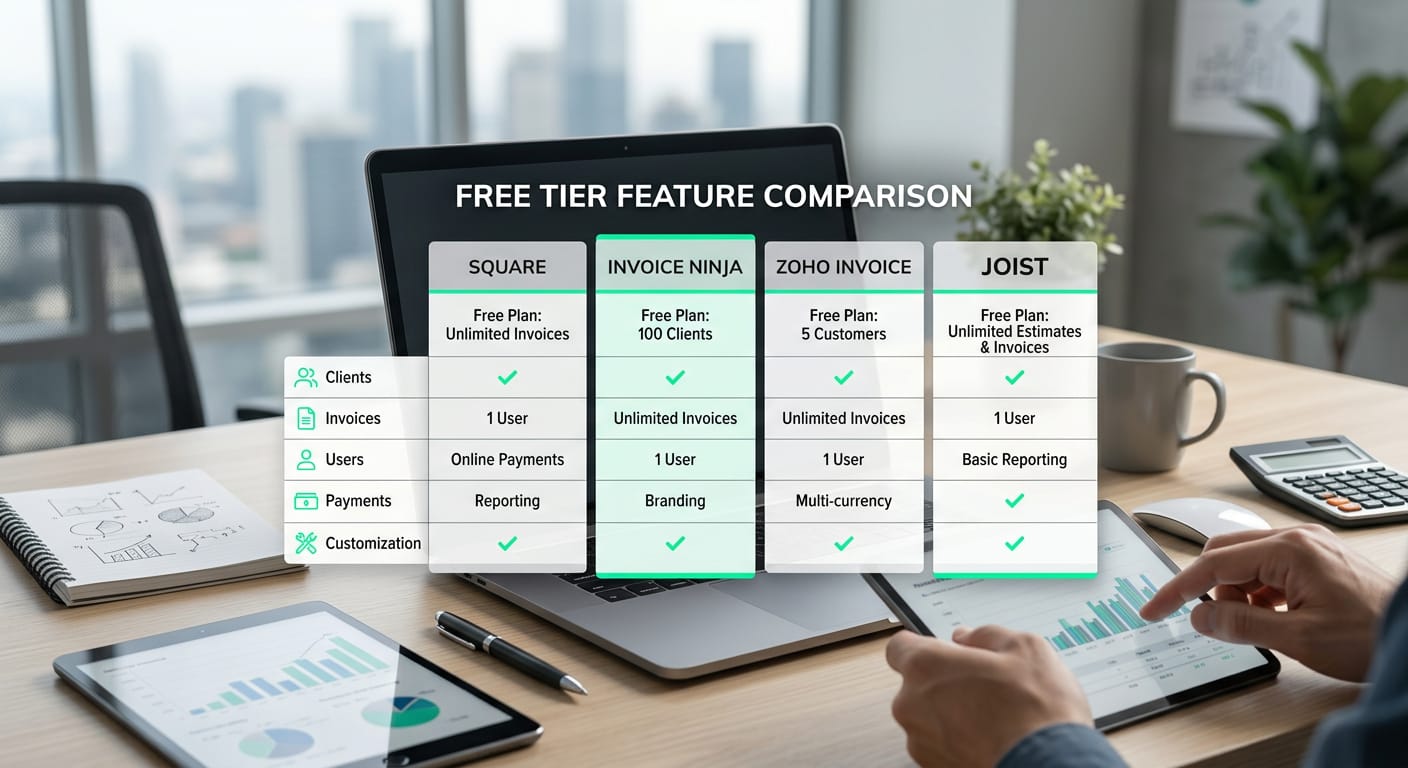
When evaluating a developer invoicing software comparison, the best free invoice management tool for contractors depends entirely on your specific workflow. Square excels at processing on-the-go payments, while Invoice Ninja offers strong template customization. Meanwhile, Zoho Invoice provides a completely free financial suite, and Joist focuses heavily on building fast, on-site estimates.
Breaking Down the Best Platforms
Finding the right billing software means matching your specific technical requirements to a platform's limits and strengths.
| Tool | Free Tier Limits | Best For | Key Features |
|---|---|---|---|
| Square | Unlimited invoices (pay flat rate per transaction) | In-person mobile payments | Next-day transfers, card on file, automated taxes |
| Invoice Ninja | Up to 5 clients and 4 template designs | Custom branding and project billing | Task routing, project tracking, multiple payment gateways |
| Zoho Invoice | Completely free for all users | Comprehensive mobile finance management | Automated follow-ups, multi-currency support, client portals |
| Joist | Basic invoicing features (with in-app upgrades) | Physical trade contractors | On-site estimates, material lists, fast mobile approvals |
Square simplifies billing if your contracting business relies on sliding a card reader to a client in person. You can accept payments directly via their POS app or send digital links via SMS, giving you the ability to configure next-day transfers for free (Source 1). If you prefer more control over your brand presentation, Invoice Ninja is a better fit. Their free plan gives you access to four customizable invoice template designs and built-in task tracking, making it ideal if you balance hourly technical projects alongside fixed-bid contracts (Source 2).
For contractors who want a comprehensive tool without constantly hitting paywalls, Zoho Invoice stands out. This platform takes traditional billing off your to-do list entirely by handling automated payments and follow-ups through a robust, 100% free mobile app (Source 3). Alternatively, if your contracting work involves navigating physical client sites for inspections, Joist is the logical choice. The app allows you to create precise estimates using saved material lists, giving clients the chance to approve a quote before you even leave their property (Source 5).
The Hidden Costs of General-Purpose Billing Apps
General-purpose billing apps force software and digital contractors to spend hours manually translating technical tasks into client-friendly line items. While searching for free invoice management tools for contractors, many digital professionals adopt platforms built for physical trades. Unfortunately, this creates major bottlenecks when you try to turn GitHub commits or Jira tickets into billable work.
Apps like KYRO and Joist are highly rated solutions designed specifically for home service businesses and physical trade contractors (Source 4, Source 5). They excel at calculating materials, dispatching crews, and building traditional labor estimates. However, those features add useless dashboard clutter if your primary deliverables are software architecture or code pipelines.
The manual data entry tax
Standard invoicing software lacks native integrations with developer workflows. When you use general tools like Square, Zoho, or Invoice Ninja, you must manually copy and paste project details into their blank invoice generators (Source 1, Source 2, Source 3). This forces you to spend your evenings rewriting raw code commits into polished summaries so non-technical clients understand what they are paying for.
This constant context switching introduces three major hidden costs for technical freelancers:
- Lost billable time: You waste valuable hours formatting documents and typing out line items instead of shipping features.
- Vague invoice lines: Rushing through manual data entry often results in generic descriptions like "Development work," which can trigger client questions and delay payments.
- Unbilled micro-tasks: Minor pull requests and quick bug fixes frequently get forgotten during manual copy-pasting, making it difficult to avoid underbilling on small fixes.
How Developer Contractors Automate Billing with Diffbill
While many free invoice management tools for contractors handle payment processing, they still force freelance developers into tedious manual data entry. Diffbill eliminates this busywork by automatically going from merged PR to client-ready line items on a professional Stripe invoice draft.
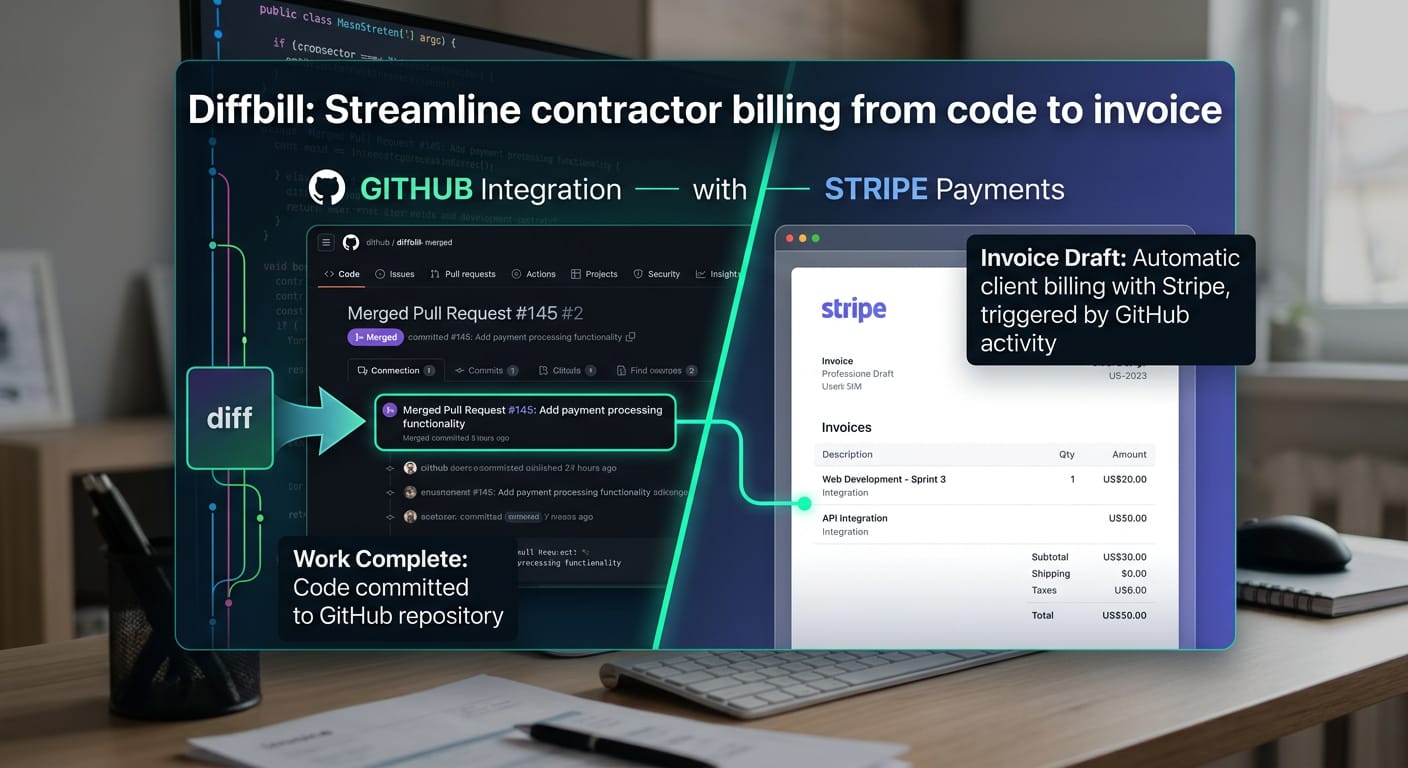
Instead of copy-pasting commit messages or trying to remember what you shipped last Tuesday, Diffbill reads your repository activity directly. Its AI instantly summarizes your technical work, translating complex software jargon into clear business value. This lets you generate accurate billing line items effortlessly without breaking your focus or leaving your terminal.
Automate Billing with the Starter Plan
Diffbill provides a completely free Starter Plan carefully designed for individual developer contractors maintaining a single client repository. It serves as a risk-free entry point to automate your billing workflow, ensuring you spend less time on administration and more time shipping features.
The free entry point supports proactive developer invoicing automation strategies with features specifically tailored for independent software consultants:
- Single-repo support: Connect your primary GitHub repository to instantly sync your merged pull requests.
- Basic AI rewriting: Convert highly technical commit histories into polished descriptions that make sense to non-technical stakeholders.
- Default redaction: Protect your private source code with built-in filters that dynamically scrub sensitive internal architecture details from the final invoice.
Continuing to manually tally your coding tasks inside standard free invoice management tools for contractors costs you unbillable hours every single month. Drop the manual spreadsheets and let your Git history build your invoices for you automatically.
Continue with Free
Frequently Asked Questions About Contractor Invoicing
Finding truly free invoice management tools for contractors doesn't have to be a guessing game. While many platforms advertise zero-cost options, the actual cost of ownership often hides behind credit card processing fees, limited templates, or monthly client caps. Knowing exactly what you need from the start helps you avoid surprise bills down the road.
We compiled the most common questions independent developers and trade professionals ask when evaluating free invoice management tools for contractors. From hidden transaction costs to automated repository workflows, here is what you need to know before committing your business to a new billing platform.