

How to Bill Hourly as a Freelance Developer
A complete guide to billing hourly as a freelance developer, including rate calculation strategies, time tracking best practices, and automated invoicing.
Learn how to calculate your freelance hourly rate, track your developer time effectively, and format professional invoices that get paid faster without the administrative headache.
Should you charge hourly or by the project?
Charging hourly protects you from scope creep and unpredictable bugs, making it the safest choice for ambiguous software projects. Project-based pricing rewards efficiency when requirements are crystal clear. But figuring out how to bill hourly as a freelance developer ensures you are compensated for every unexpected technical hurdle.
Hourly pricing is highly secure when project details are not fully fleshed out. As noted when choosing between flat-rate and hourly billing software or business models, billing by the hour prevents you from building extra features for free when clients change their minds midway. It guarantees you earn money for the actual time spent researching new technical constraints or untangling broken legacy code.
When fixed pricing makes sense
Project-based pricing requires you to secure strict, finalized requirements before you begin coding. If you work quickly and can achieve the client's goals with lean methods, a fixed fee can help you make more money in less time. However, if the project scope is vague, you risk doing hours of uncompensated rework.
For most custom software builds, sticking to an hourly rate mitigates the financial risks of the unknown. You give up the high margins of a rapid, perfectly planned project, but you eliminate the risk of losing money to endless debugging sessions.
How to calculate your freelance developer hourly rate
When figuring out how to bill hourly as a freelance developer, the fastest baseline is to take your target annual salary and drop the last three zeroes. According to developers sharing strategies on pricing your work, a $100,000 target salary translates to an absolute baseline of $100 per hour. Keep in mind, this is just a starting point that rarely covers all the hidden costs of running a business.
A more accurate formula is to divide your target salary by 2,000 working hours, and then multiply the result by two. For example, dividing a $100,000 salary by 2,000 gets you $50, which you then double to reach a sustainable $100 per hour rate. This straightforward multiplier protects your actual take-home pay from the overhead of independent work.
Why your base rate needs a multiplier
Doubling your base hourly calculation ensures your freelance programming business stays profitable when expected (and unexpected) overhead happens. Specifically, this multiplier covers three major business costs:
- Self-employment taxes: As an independent contractor, you are fully responsible for payroll and income taxes that an employer would traditionally split with you.
- Unavoidable downtime: You will inevitably experience gaps between client projects, unexpected sick days, and unpaid vacation time.
- Administrative tasks: Non-billable work like answering emails, attending discovery calls, and managing your accounting eats directly into your available coding hours.
Best practices for tracking your billable developer hours
When exploring how to bill hourly as a freelance developer, accurate time tracking is your most important operational habit. Transparent reporting builds immediate trust with clients, especially when you tie your logged hours directly to the code you shipped. Instead of sending vague timesheets, provide a verifiable audit trail.
As discussed earlier, hourly pricing works best for projects with high ambiguity because it protects you from building extra features for free. However, maximizing this strategy requires you to prove the exact value of the hours you spent navigating that complex project scope.
Standardizing your tracking workflow
Even when using dedicated developer time-tracking software, managing timesheets is often the most time-consuming administrative task for freelancers. You can speed up the process and eliminate billing disputes by forming strict habits around how and when you track your effort.
- Describe the specific feature: Note the precise bug fix or endpoint built rather than using generic terms like "backend development."
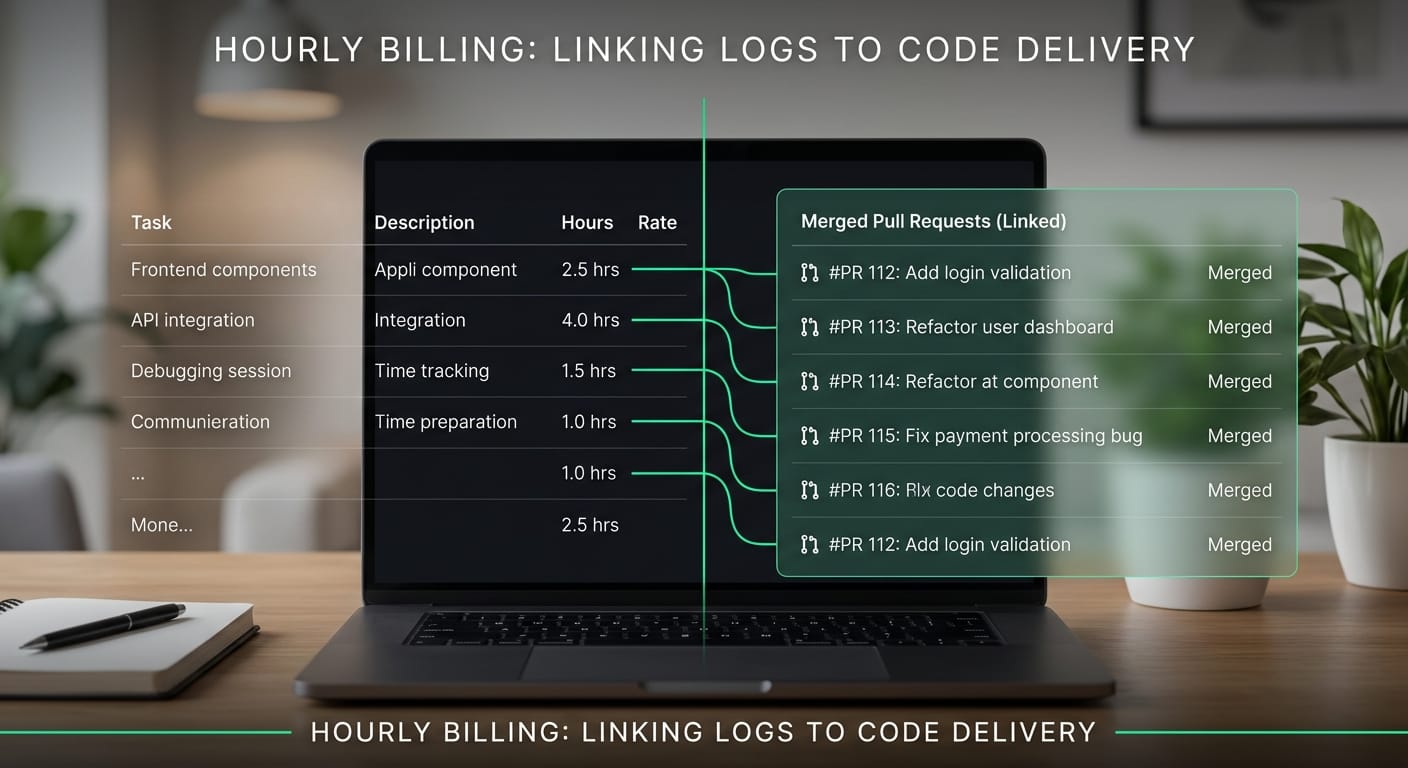
- Align hours with source code: Make sure the time block corresponds to tangible pull requests in your source repository.
- Log daily, not monthly: Trying to remember what took three hours last Tuesday will almost always lead to underbilling.
Use a timer
Link to source
Tying your time entries to version control events gives the client undeniable proof of your progress. When a client sees that a four-hour billing block maps directly to a successfully merged pull request, they feel confident paying the invoice.
Translating technical work into clear invoice line items
When figuring out how to bill hourly as a freelance developer, your priority is ensuring clients understand exactly what they are paying for. Translating technical work for client invoices by rewriting commit messages into clear business value removes ambiguity and builds trust. Clear communication directly speeds up your payment cycle by preventing confusing back-and-forth emails.
Clients rarely care about the specific libraries you updated or how you refactored a component. If your invoice reads like a Git history log, you risk overwhelming non-technical stakeholders and triggering disputes over logged hours. As many independent contractors find, the administrative side of invoicing is often time-consuming and complicated, so keeping your line items simple helps everyone involved.
You need to bridge the gap between your code repository and your client's business goals. Replacing developer jargon with outcome-focused descriptions makes it obvious why your dedicated hours were necessary for their product's success.
Best practices for outcome-based descriptions
Keep your line items focused on the end result rather than the technical journey. When you sit down to track your time and detail your work, follow a few simple rules to highlight the value you delivered:
- Focus on user features: Describe what the end-user can now do, rather than the specific JavaScript framework you used to build it.
- Highlight stability: Frame backend refactors or database migrations as system performance and reliability improvements.
- Group minor tasks: Bundle small bug fixes or minor UI tweaks into a single line item for general platform maintenance.
Mastering how to bill hourly as a freelance developer ultimately comes down to speaking the client's language. When stakeholders can quickly scan a document and see tangible business improvements, they approve and pay those invoices without hesitation.
Automating your hourly billing workflow
Figuring out how to bill hourly as a freelance developer doesn't mean you have to spend non-billable hours wrestling with administrative tasks. Learning how to automate developer invoices saves an average of three hours a month by directly converting your shipped code into draft invoices. This lets you focus entirely on your next sprint.
A major bottleneck in hourly billing is manually copying pull requests and struggling to rewrite raw technical descriptions for non-technical clients. Industry experience emphasizes that timesheet and invoice management is often the most time-consuming hurdle independent programmers face. Instead of wasting energy translating commit messages, specialized tools can handle the translation for you.
Connecting your code to your invoices
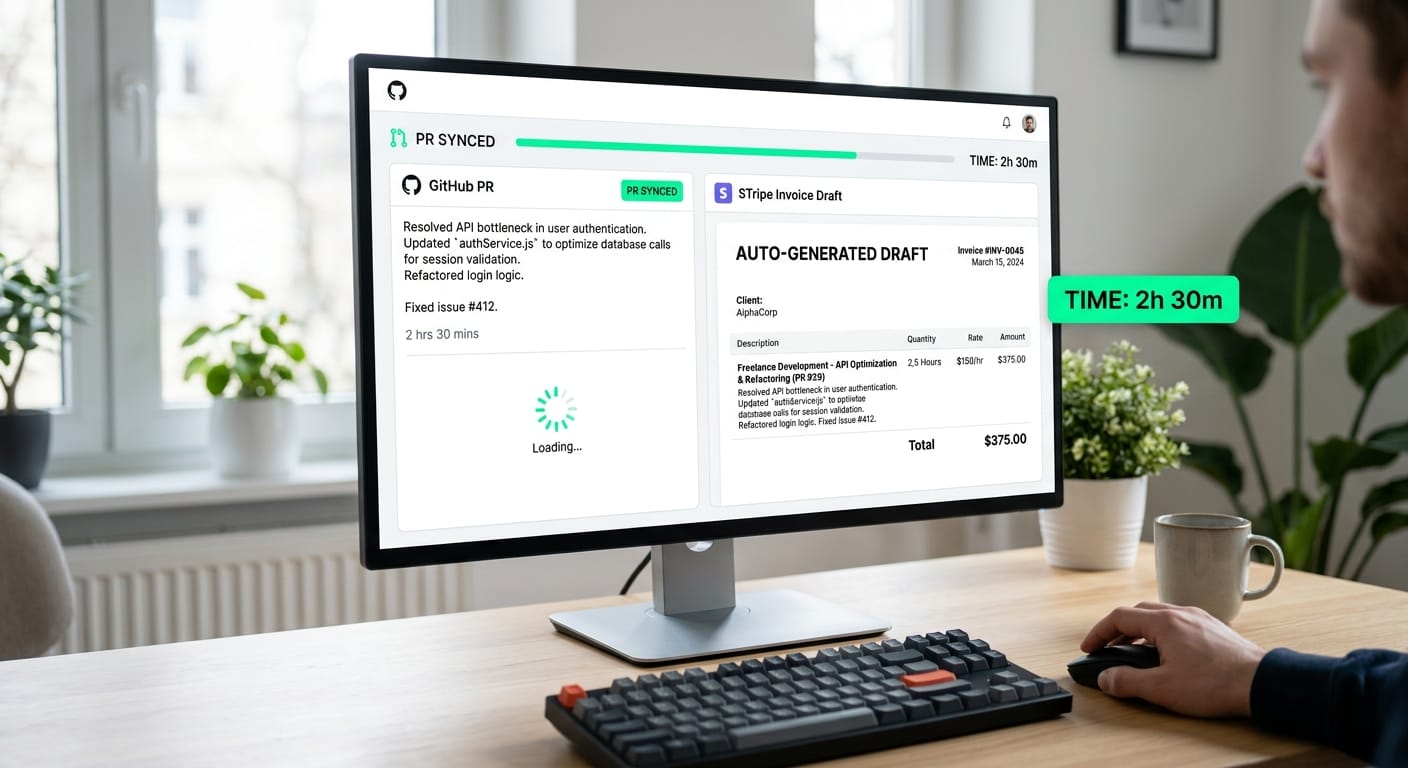
Setting up a pipeline between your version control and your payment processor removes the friction from monthly billing. Tools built to create client-ready invoices from GitHub can automatically pull merged PRs, strip out the internal jargon, and push clean line items directly into your Stripe account.
This keyboard-first workflow ensures you capture every deliverable when standardizing how to bill hourly as a freelance developer. By adopting per-client tone controls and source-linked audit trails, you maintain complete transparency with your clients. Streamline your billing system by following these core practices:
- Link your primary Git repository to your automated billing software.
- Configure intelligent rewrites to translate raw codebase updates into professional business language.
- Push source-linked line items directly into your payment processor to reduce disputes and avoid the headache of handling late payments as a software contractor.
With your GitHub activity instantly populating your Stripe drafts, you can reclaim your non-billable hours, bypass manual data entry, and get paid faster.
Start billing