

Top Invoicing Software for Consultants: Choosing the Right Tool
Compare the best invoicing software for consultants and freelance developers. Learn what features matter, how to automate your billing workflow, and stop manually translating technical work.
Discover the top invoicing software tailored for consultants. Learn how to move from tedious, generic accounting tools to delivery-based billing workflows that save time and eliminate manual data entry.
What makes invoicing software for consultants different?
Consultant invoicing software bridges the gap between project delivery and getting paid, ensuring your billing reflects the exact value you shipped.
The top invoicing software for consultants connects actual engagement tracking directly to client bills. Instead of treating invoices as standalone documents that require manual data entry, these specialized tools sync seamlessly with the milestones, hours, or code you deliver.
Generic accounting platforms often treat invoicing as a disconnected afterthought. When you rely solely on standard software, you inevitably end up chasing entries in generic developer time tracking software, manually calculating costs, and verifying budgets at the end of every cycle, according to Source 2. This duplicate admin work delays your billing ops and frequently introduces costly errors into your invoices.
Tying execution directly to revenue
Standalone billing tools just send payment links, but consultant-focused platforms combine project execution and financial outcomes into a single, cohesive workflow. As highlighted by Source 4, these tailored applications tie your invoices directly to the actual deliverables so your clients always see the concrete value they received.
To bridge the gap between doing the work and getting paid, consultant billing systems typically provide:
- Automatic data conversion: Turn tracked time, closed pull requests, and completed milestones directly into automated invoice line items without copying and pasting.
- Retainer management: Secure advance payments and safely apply them against future deliverables, a critical feature for consistent cash flow per Source 3.
- Live project syncing: Generate accurate drafts by instantly matching your planned project budgets against actual delivery metrics.
By linking your daily project tracking directly to your financial records, you eliminate hours of end-of-month busywork. Your invoices transform from simple payment requests into a transparent audit trail of the work you performed, reducing client disputes and accelerating your payouts.
Essential features for a seamless billing workflow
The best tools connect your actual project work directly to your accounting systems. The top invoicing software for consultants speeds up the billing cycle by turning tracked deliverables into invoice line items automatically. This eliminates duplicate data entry and ensures you never forget to bill for completed work.
Relying on manual data entry to build invoices often introduces errors and delays your revenue. As highlighted by Source 2, modern platforms generate bills directly from live project data rather than disconnected spreadsheets. This seamless data flow means your invoices always reflect actual delivery costs and completed milestones without the administrative headache.
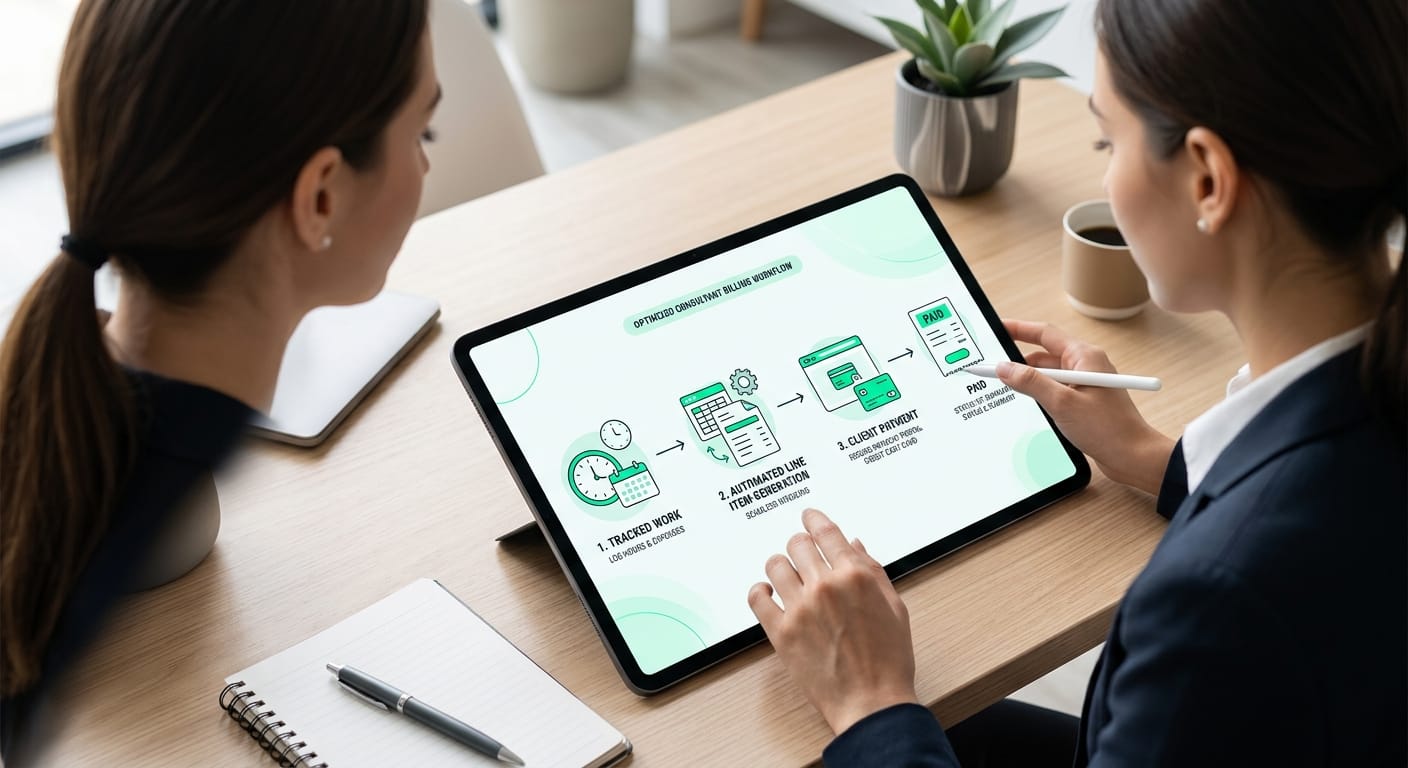
Core traits of delivery-based billing
| Feature | Practical Benefit for Busy Consultants |
|---|---|
| Deliverable tracking | Connects logged time and finished milestones directly to client records. |
| Automated line items | Converts finished work into professional, itemized billing details without retyping. |
| Payment integrations | Accepts multiple payment methods instantly through native gateways like Stripe. |
Standalone billing tools just send simple documents without tracking the underlying engagement or deliverables. The top invoicing software for consultants leverages automatic time-to-invoice conversion and built-in client portals to drastically reduce your administrative workload. Connecting these workflows directly to payments avoids the hassle of handling late payments and helps independent professionals get paid much faster, according to Source 4.
Traditional vs. Developer-centric invoicing
When evaluating the top invoicing software for consultants, the biggest choice is between traditional manual tracking and developer-centric automation. General market tools require you to manually log hours and translate technical work into business updates. Developer-centric invoicing pulls billable work directly from your source code, saving time and eliminating error.
Standard billing platforms depend on manual workflows and constant administrative upkeep. According to Source 2, chasing time entries and validating costs consistently delays billing and introduces data errors across professional service teams. As a freelance developer, you lose valuable hours every month just translating technical work for client invoices.
Developer-first tools flip this workflow completely by treating your actual work as the single source of truth. Instead of penalizing you with fewer billable hours for shipping code efficiently, these platforms generate line items straight from your integrations. Your invoices accurately reflect the value you push to production without any tedious administrative overhead.
Shifting to delivery-based billing
Moving away from generic accounting software allows you to focus entirely on execution instead of administration. A connected, developer-centric billing workflow solves the core frustrations of legacy invoicing software in a few specific ways:
- Faster revenue cycles: You can bill immediately when work is shipped rather than waiting for month-end timesheet reviews.
- Better client transparency: Complex technical commits are transformed into professional, easily readable performance milestones.
- Zero manual data entry: You completely remove the need to duplicate your project history into a disconnected time-tracking application.
Stop manually translating work: Automate with diffbill
If you are a developer consultant invoicing clients based on shipped repositories, manual data entry is an expensive waste of your time. The top invoicing software for consultants connects directly to your workflow, transforming merged GitHub pull requests into client-ready Stripe invoice drafts automatically, so you stop manually translating technical work.
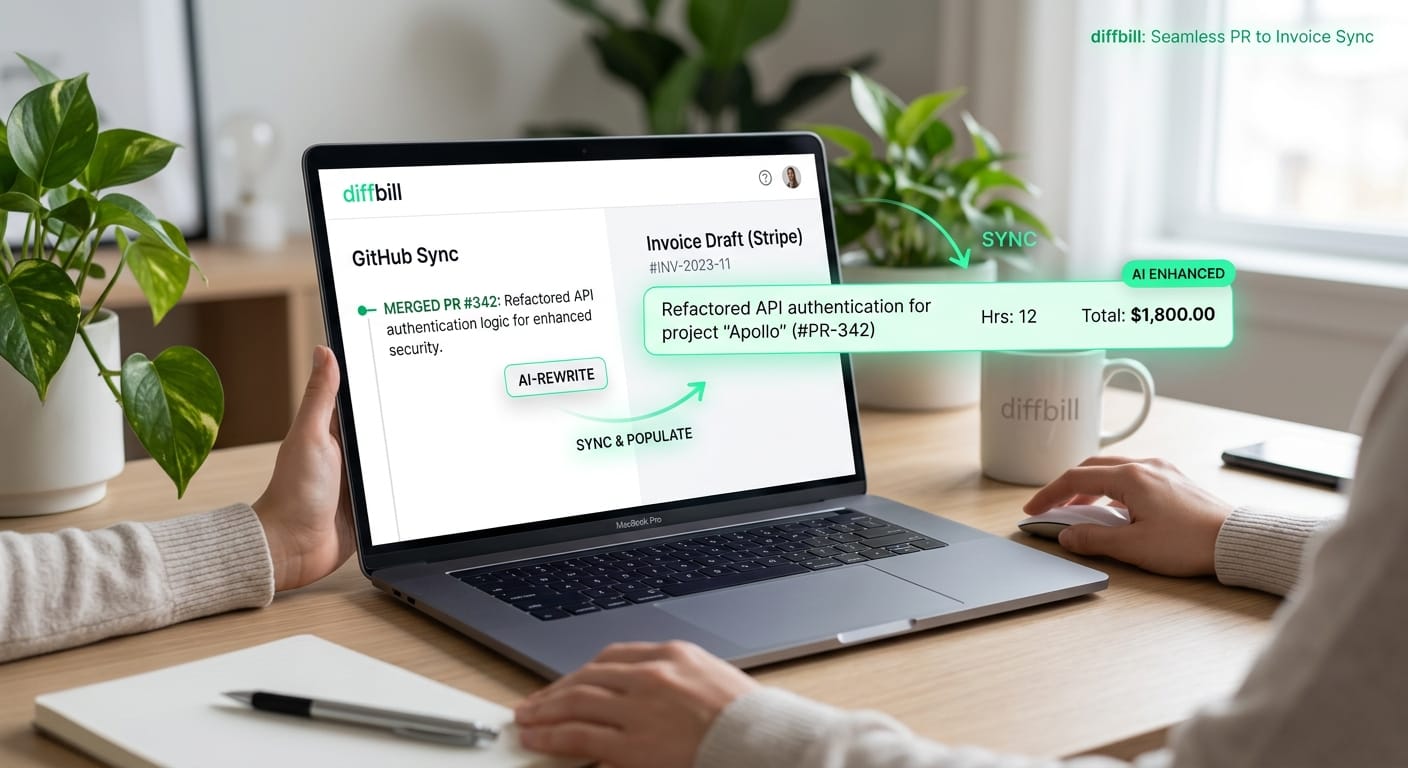
General project management and accounting tools treat invoicing as a generic feature built around chasing time entries and validating hours. While these legacy apps technically function, they still force you to manually rewrite every commit log and ticket description into business-friendly language that non-technical stakeholders understand.
Delivery-based billing workflows
diffbill completely automates this administrative overhead by bridging the gap between your code and your cash flow. Serving as a specialized AI invoice generator for freelancers, it rewrites technical jargon into professional language, generating accurate invoice data that clearly communicates the value of your work. The platform specifically handles the nuanced needs of freelance developers:
- Automated code syncing: Pulls mapped GitHub pull requests directly into Stripe line items to help you convert a PR to an invoice and eliminate duplicate entry.
- Client-specific tone controls: Tailors the AI rewriting verbosity to match each client's unique communication preferences.
- Source-linked transparency: Provides an audit trail linking every invoice back to the securely shipped code so clients never question your billing.
Prioritizing customization and workflow automation ensures your billing happens precisely when delivery finishes. Upgrading to a pro plan secures access to a keyboard-first workflow and advanced branding removal, letting you finalize sophisticated billing drafts rapidly while maintaining complete control over your professional image.
Start billing for free
Frequently asked questions about consultant invoicing
When evaluating the top invoicing software for consultants, the main question is usually when to upgrade from simple spreadsheets. You should make the switch when your billing workflow disconnects from your actual project delivery. Dedicated software ties your shipped work directly to your final receipts, eliminating tedious manual data entry.
Standard accounting platforms handle broad business bookkeeping, but they treat day-to-day invoice generation as an afterthought. According to Source 2, teams often deal with delayed billing and errors because they have to chase down timesheets just to validate project costs. Moving to a specialized tool captures your project execution and instantly connects it to predictable revenue.
Upgrading your billing setup also builds trust with your clients by proving exactly what they are paying for. Source 4 points out that consultants using connected workflows often get paid faster because their invoices are highly accurate and professional. Ultimately, the top invoicing software for consultants will always prioritize tying line items to actual milestones rather than just generating a generic document.